
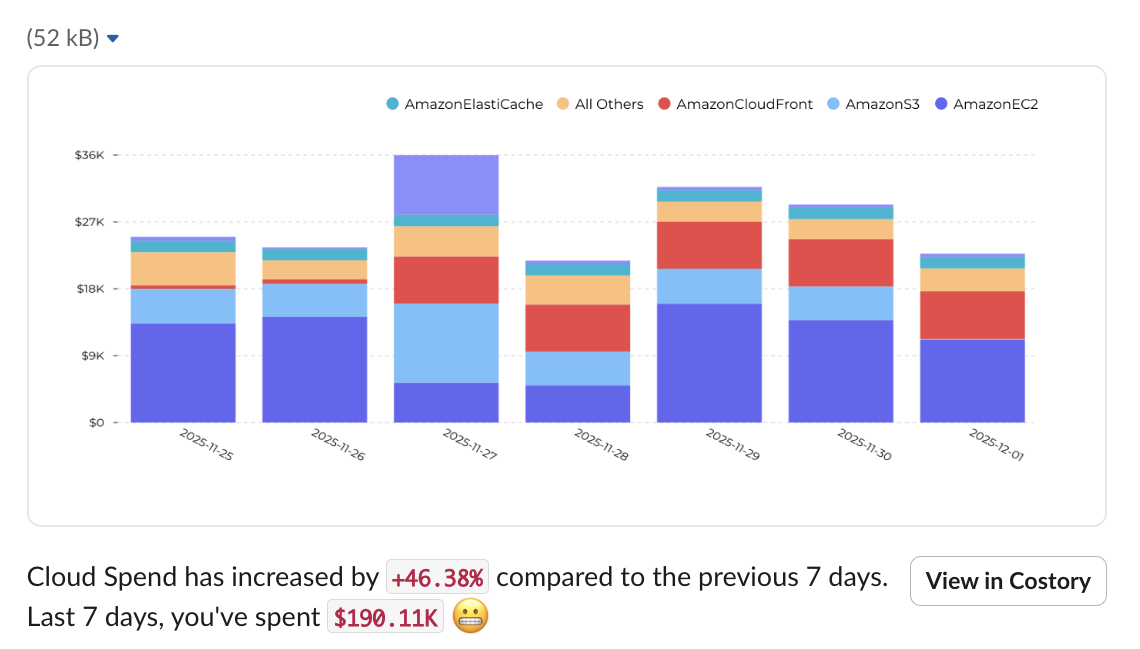
Set up a scheduled report
1
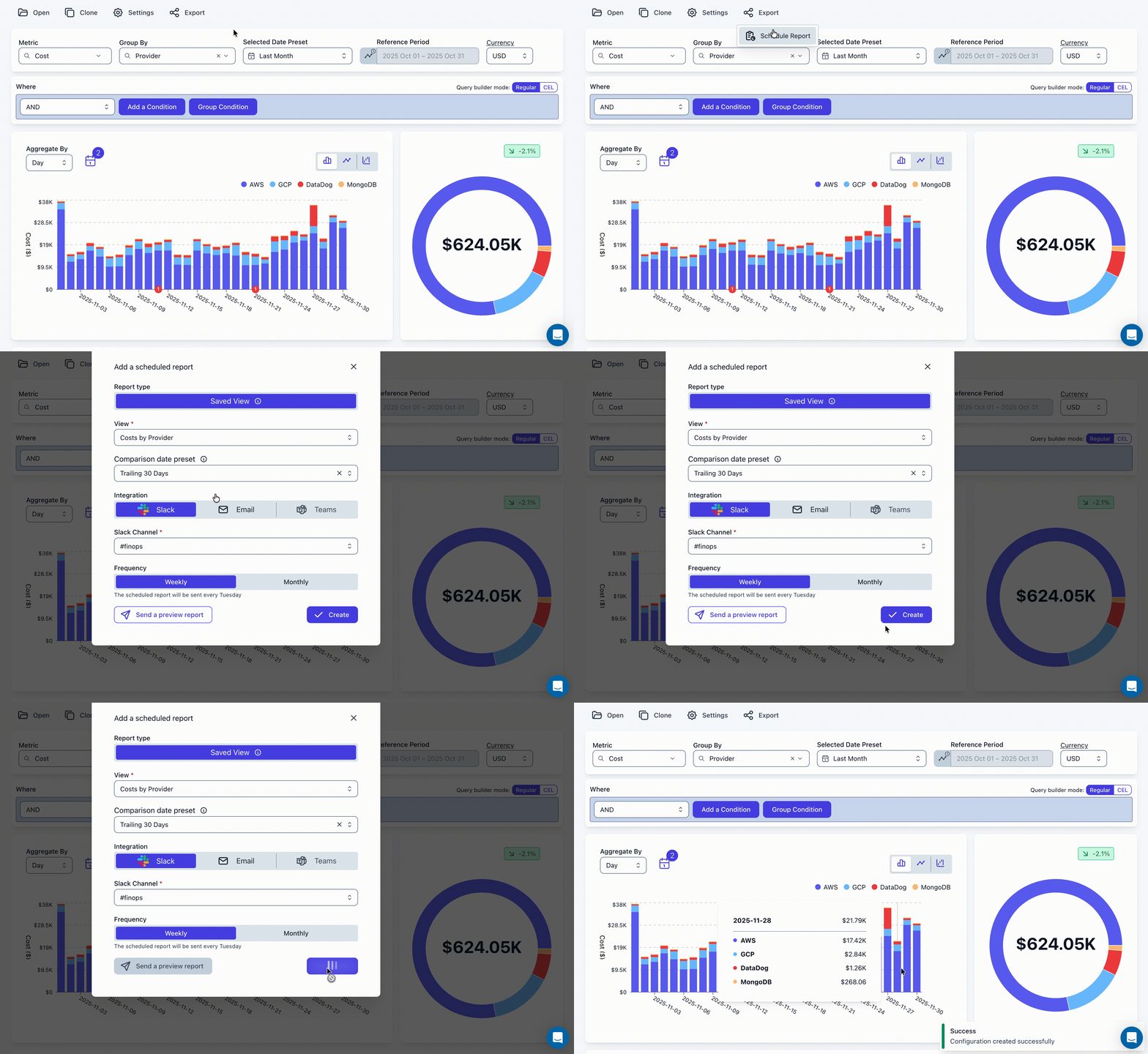
Create a View in the Cost Explorer
Navigate to the Cost Explorer and configure filters for the data you want to report on.
2
Click Schedule Report
3
Configure delivery
Pick the Slack channel, cadence (weekly or monthly), and comparison period.
Scheduled Reports can be sent to Slack, Microsoft Teams, or per Email.
Use Cases
Squad Cost Updates
Weekly reports to team channels with their specific cost metrics
SRE / Platform Reviews
Infrastructure cost trends for platform teams
Leadership Briefings
Monthly executive summaries for stakeholders