
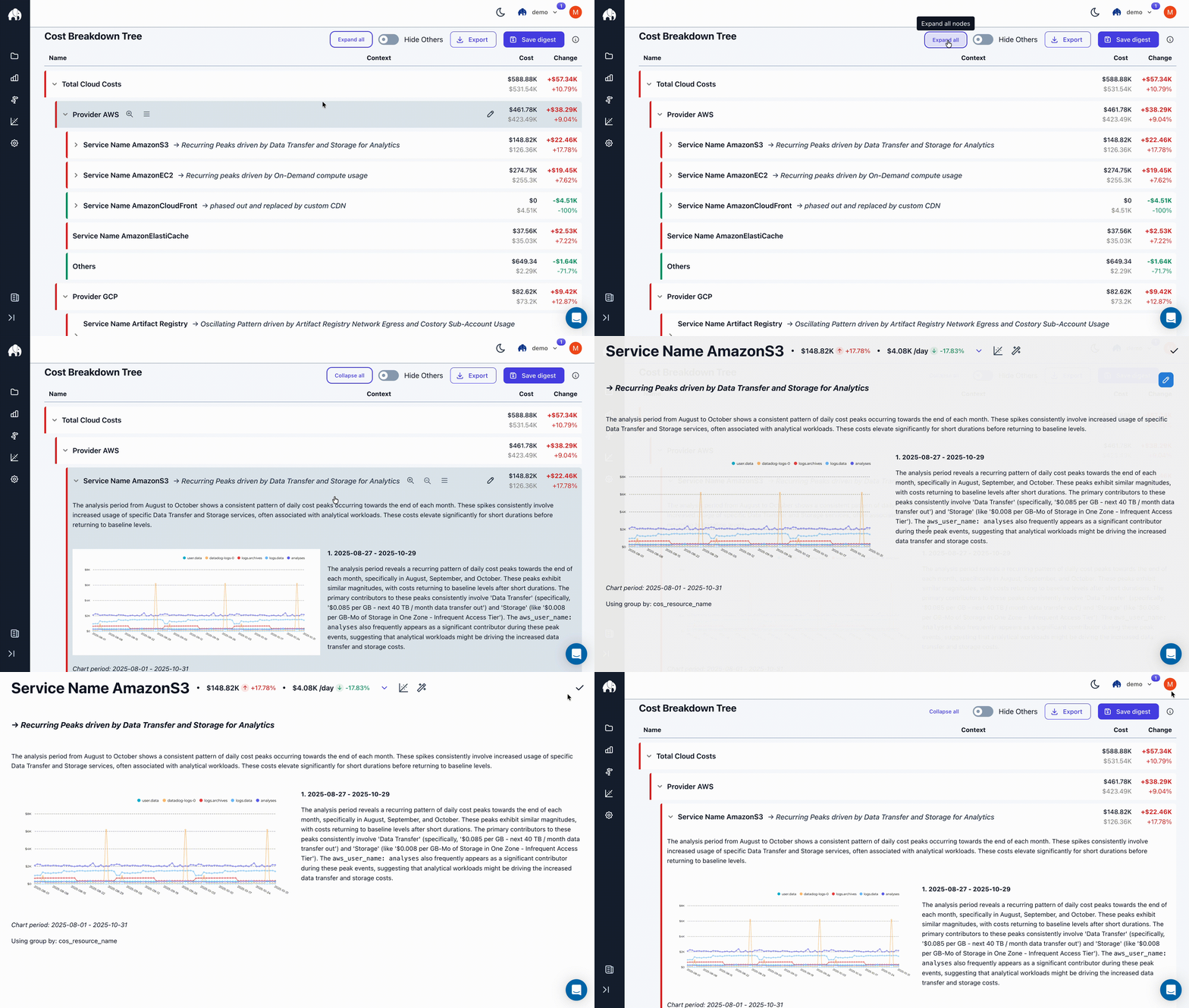
Using Digest to Automate Cost Reviews
1
Setup Digest Config
To receive your first digest, you need to configure the cost breakdown tree.
You can change this configuration anytime you want.
The time window to analyze
The comparison period to measure changes against
How to break down costs
Virtual Dimensions
Learn how to split costs by team, product, or environment.
2
Immediately see what changed and why
You will now see a summary of all changes, split by the configured tree structure and ranked by the highest overall cost impact.The tree will auto-expand and auto-collapse nodes based on their overall cost impact and relevance.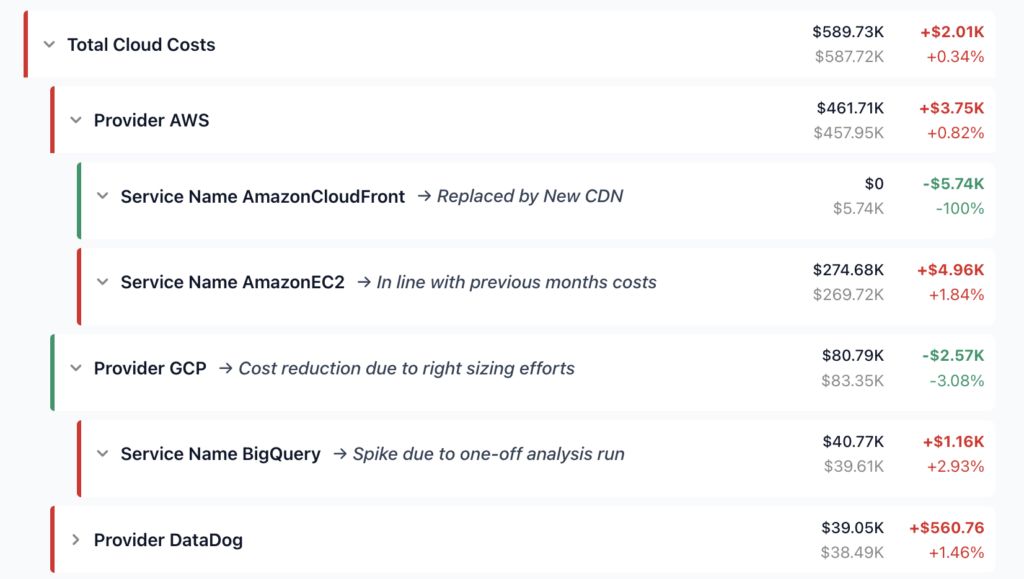
3
Deep dive with Billy Cost Incident Summaries
You will now see a detailed cost incident report for each node.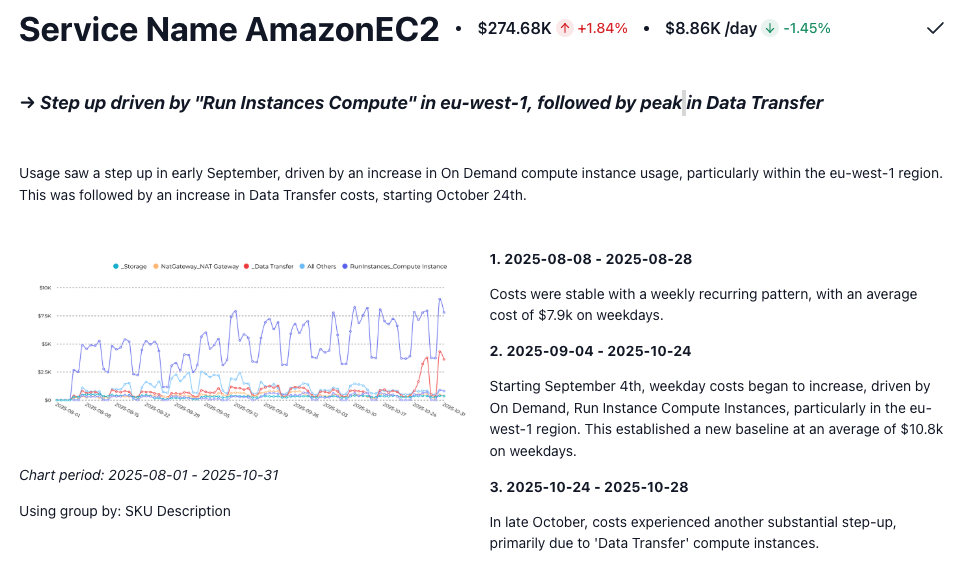
Step changes
Trends
Events
Root Causes
Any Billy-generated report can be edited to add additional context and annotations.
4
Share with your team
You can share a preview of the digest with your team via Slack or Email.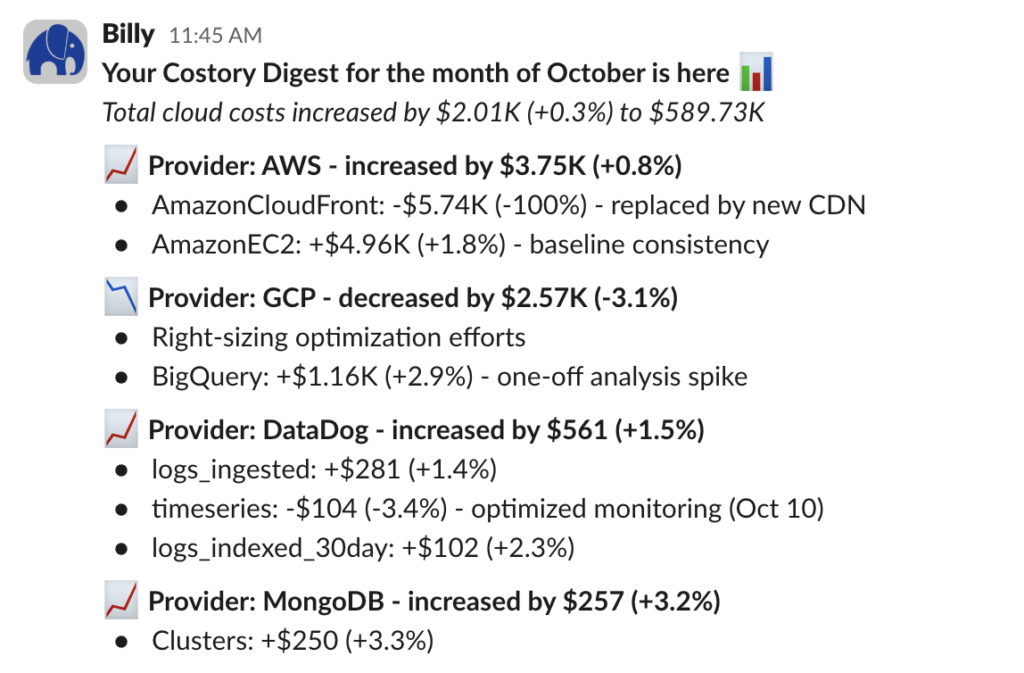
We are currently testing auto-scheduled digests to make the entire process hands-off after the initial setup.
If you are interested in this feature, please reach out to us at contact@costory.io.All users are eligible, including free-trial users.