
How Costory Helps
Costory enables scoped, automated reporting via Slack and email, giving every team direct visibility into their cloud costs.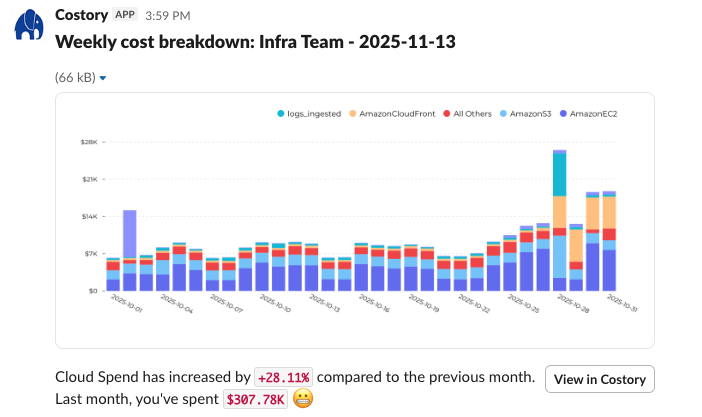
1
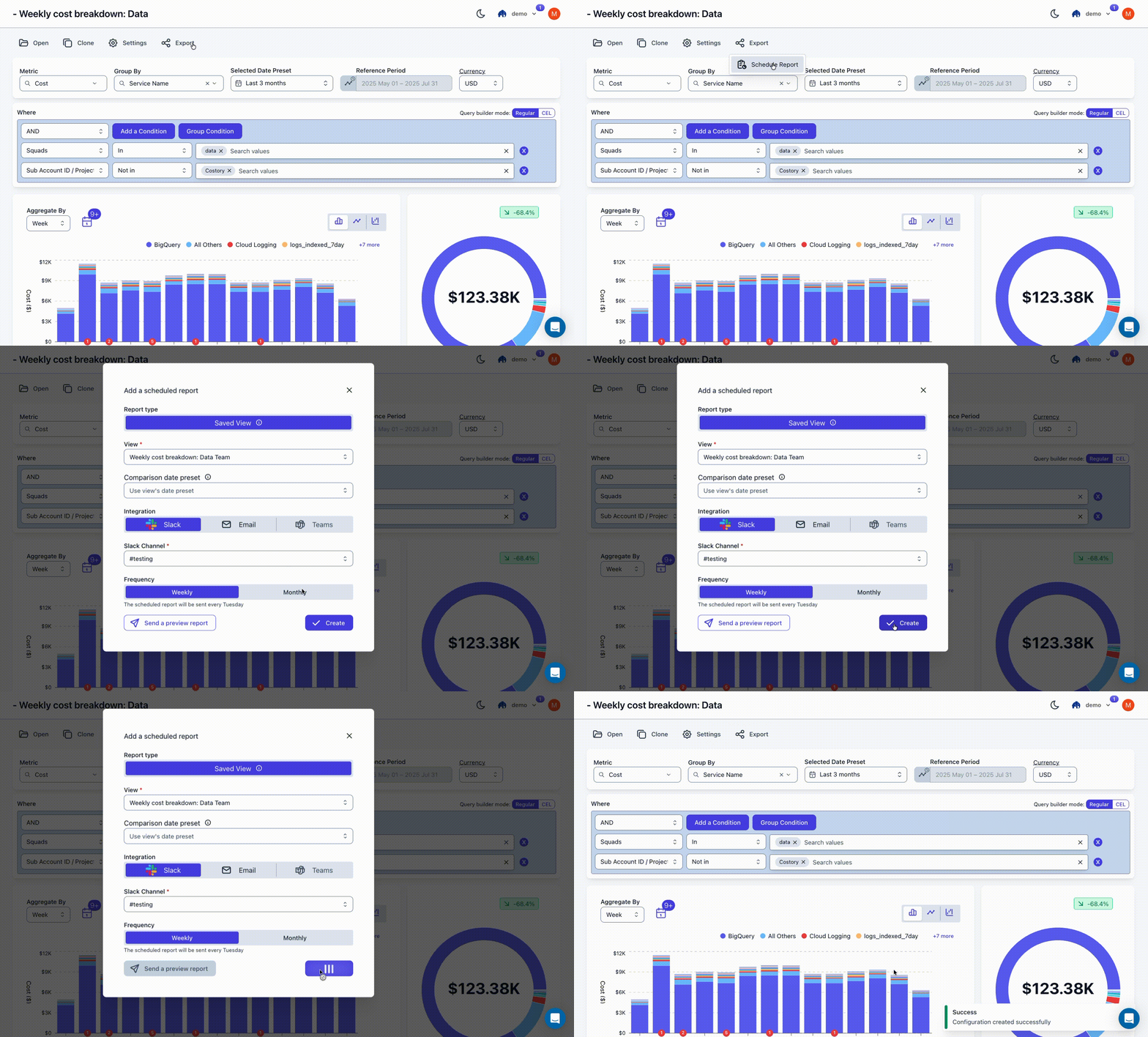
Open any view in Costory Explorer
Navigate to the Explorer and filter the data to match the scope you want to report on (e.g., a specific team, service, or environment).
2
Create a scheduled report
Click to create a report from your current view. Configure the delivery channel (Slack or email) and set the schedule.
3
Teams receive automated updates
Reports run on a weekly or monthly basis, giving teams a continuous feedback loop without needing access to the billing console.
Report Dimensions
Reports can be scoped using any of the following dimensions:CSP Metadata
Filter by cloud provider attributes like service name, region, or account.
Native Labels
Use your existing cloud resource labels and tags for filtering.
Virtual Dimensions
Apply rule-based mappings to teams, environments, features, or custom groupings.
Benefits
Scale Without New Tools
Extend FinOps visibility across the organization using your existing Costory setup.
Actionable Metrics
Give engineers scoped access to cost metrics they can directly act on.
Clear Ownership
Reinforce accountability and ownership at the team level with targeted reporting.
Lightweight Workflow
Turn reporting into a repeatable, automated process that runs itself.